The workbench
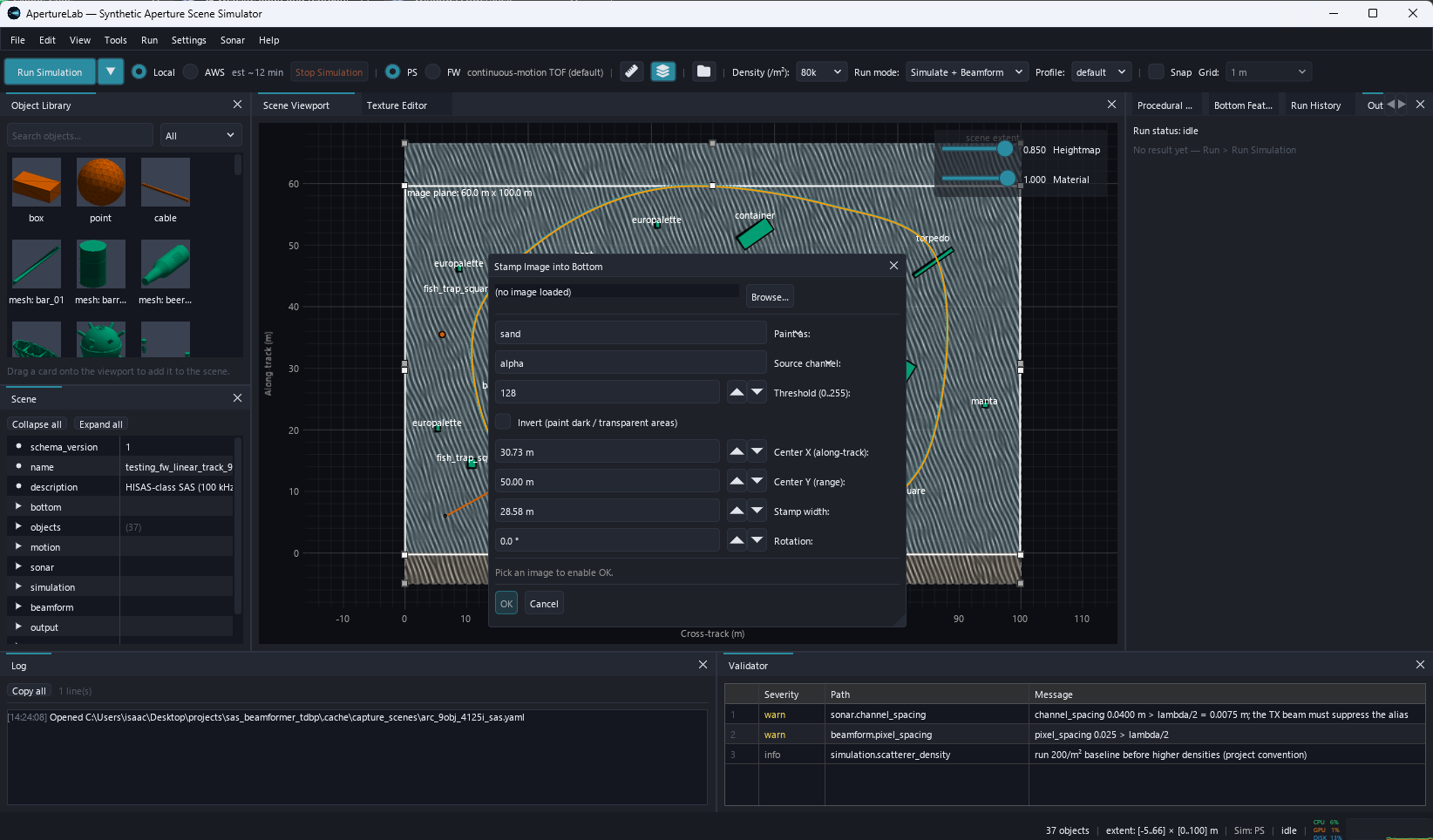
The workbench is a single window for scene authoring, simulation, beamforming, and image inspection.
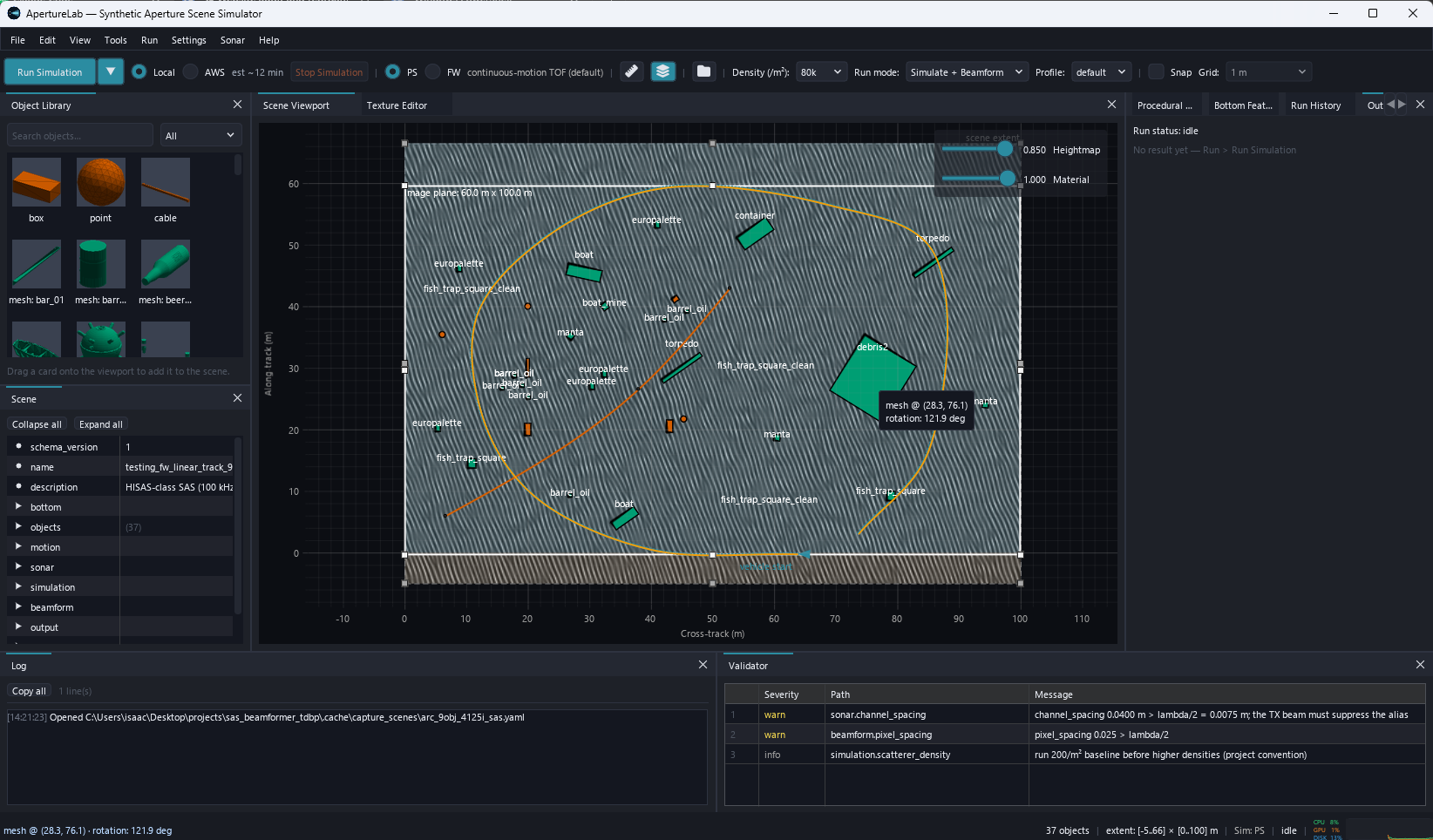
ApertureLab is one window for scene authoring, simulation, beamforming, and image inspection. The screenshots below show the panels and dialogs that make up the workflow, captured against a live scene.
Contents
The same Python code runs natively on a workstation and, unchanged, under WebAssembly in a browser tab. One function determines which of the two environments it is running in. The interface is drawn by a software rasterizer, so a GPU is required only to run the physics.
One workspace docks the object library, seafloor painting, the scene tree, a 2D plan viewport, and the texture node editor. It also holds procedural and bottom features, the Fourier-wavefield parameters, run history, the output viewer, the validator, and the log. Undo and redo cover every gesture, grouped so that one drag is one undo.
A live validator checks the scene against twenty physics and geometry design rules during editing. It blocks a run on an error rather than letting the run fail forty minutes into a simulation. Vehicle tracks can be drawn freehand and are fitted to a spline, with altitude and speed per anchor and roll, pitch and yaw derived from a vehicle-response model.
Beyond authoring, the workbench includes inspectors: a single-look-complex viewer with despeckling, a sub-aperture look sweep and a quadratic-phase-error tile readout, a side-scan waterfall, a mesh inspector, and a 3D scene view.
The workbench is a single window for scene authoring, simulation, beamforming, and image inspection.
The dialogs set the sonar geometry, derive the beam pattern, and set end-to-end output preferences (HDF5, XTF, DRC images).
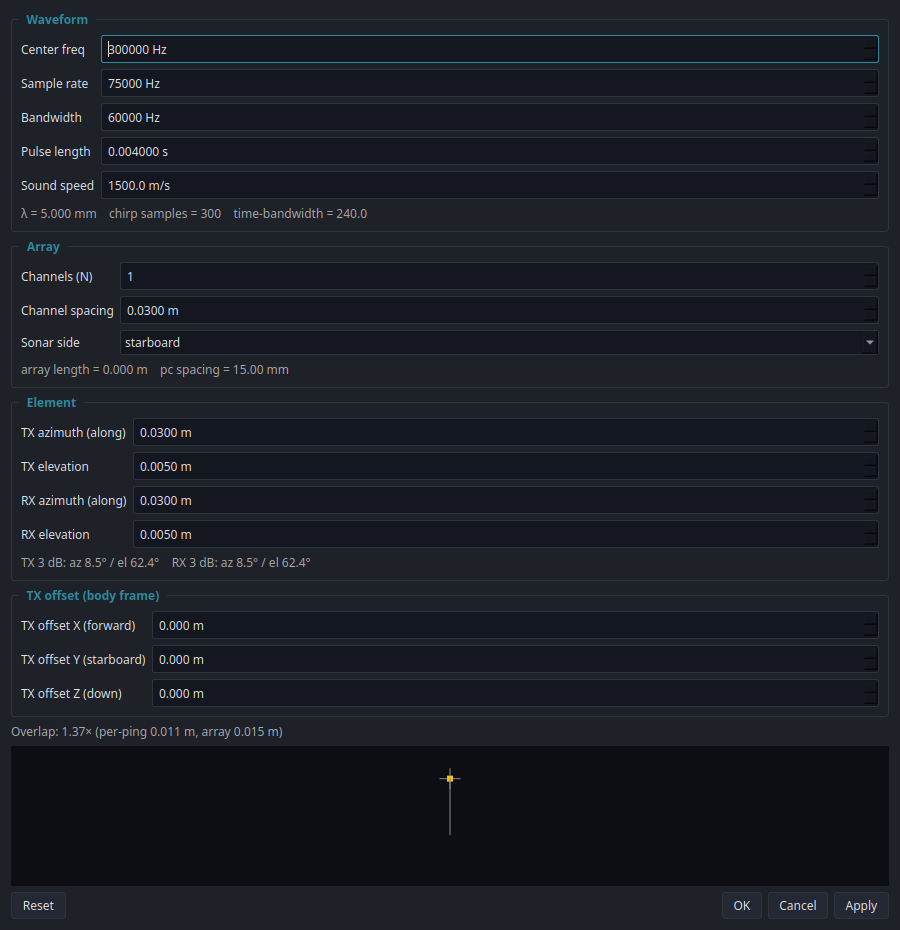
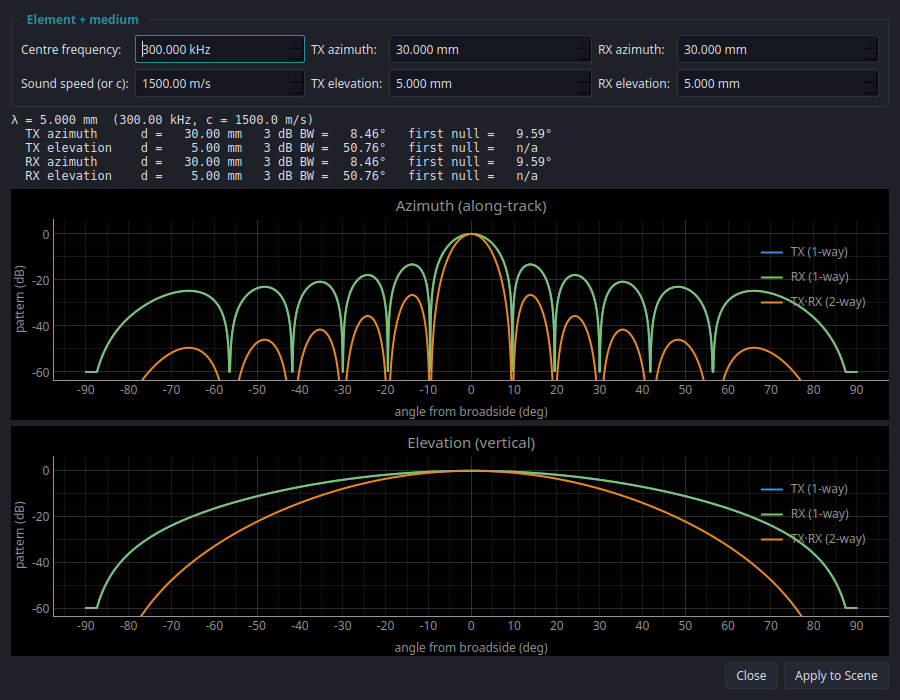
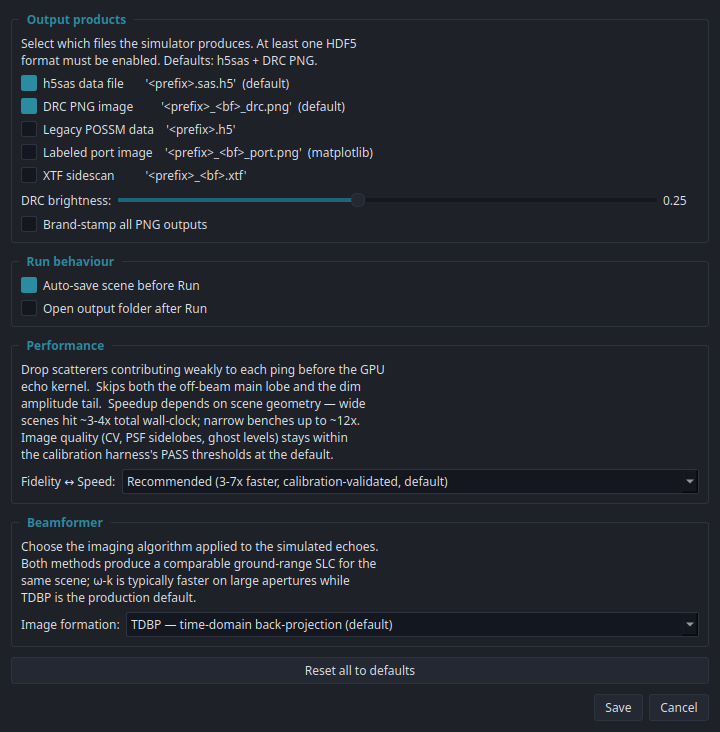
Wall clock to form one image, measured end to end against scene density and compared with the sonar's own collection time, is on its own page: Performance.
The point-scatterer observation model is derived in full, with the wavefront solver, the amplitude terms, shadowing, speckle statistics, calibration and the GPU kernel, on the simulation page.